Professional station automation and advanced rig control
Signal Stream Command Center v5.0.3 is the logging desk, contest floor, and QSL bench for a high-performance amateur station. There is a 7-Day Money-Back Guarantee if you are not completely satisfied.
Run the contact from one console: a calibrated 30-step S-meter, Signal Stream Spectrum, the MUF band window, and a 12-button hardware band matrix.
The Master SQL Console, Recall Vault, and contest log share one unified, zero-latency local SQLite database engine, with automated JSON station log backup and sync. The engine is written in native C# for rock-solid reliability and instant call sign lookups.
Call signs are checked against live XML callbooks and the local Recall Vault. Duplicate contacts are highlighted as they are entered. Frequency and mode follow the rig over CAT for Kenwood, Yaesu, and Icom transceivers, including the TS-990S, TS-890S, TS-590SG, FTDX101MP, FTDX10, FT-991A, FT-DX3000, IC-7300, IC-7610, and IC-705.
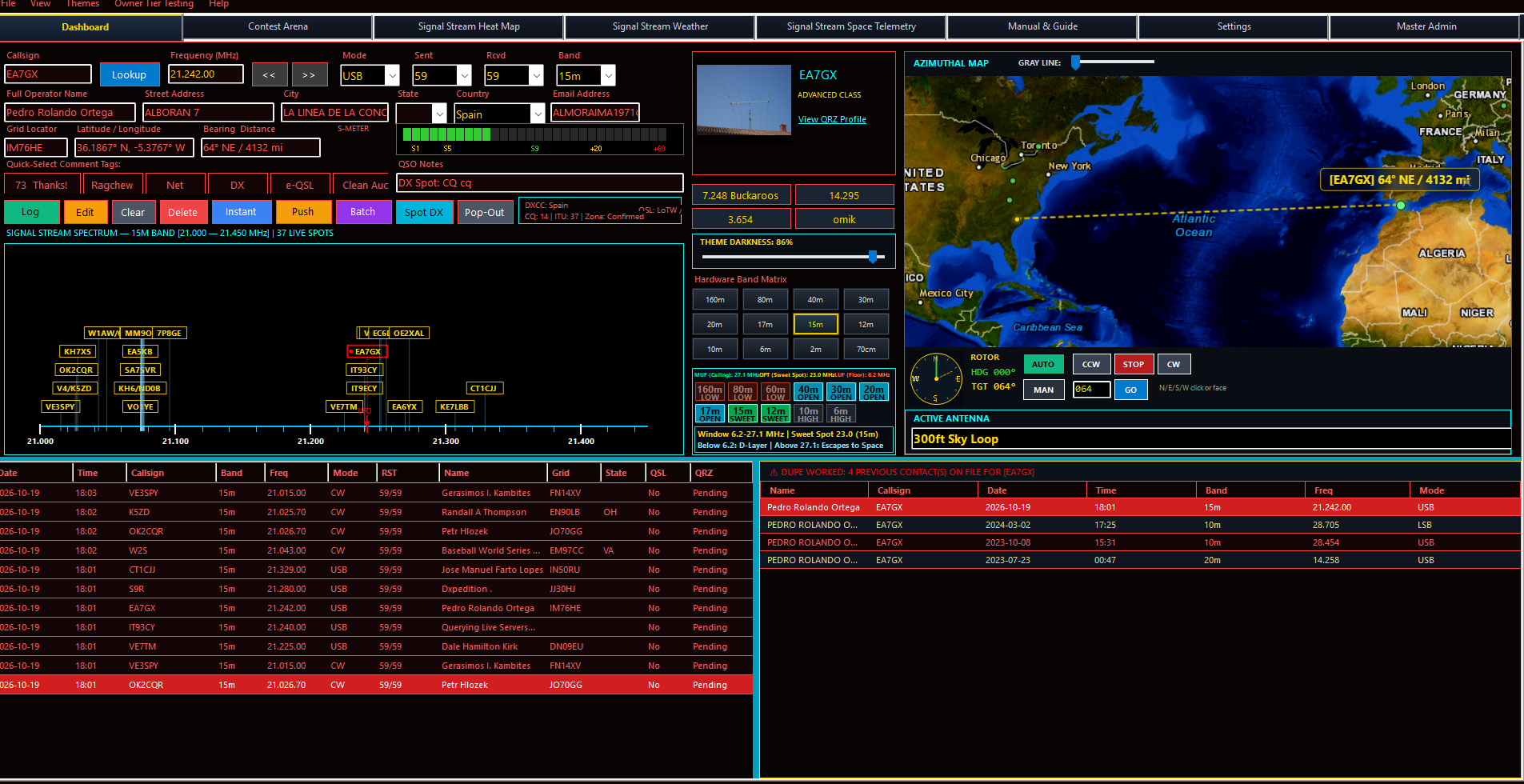
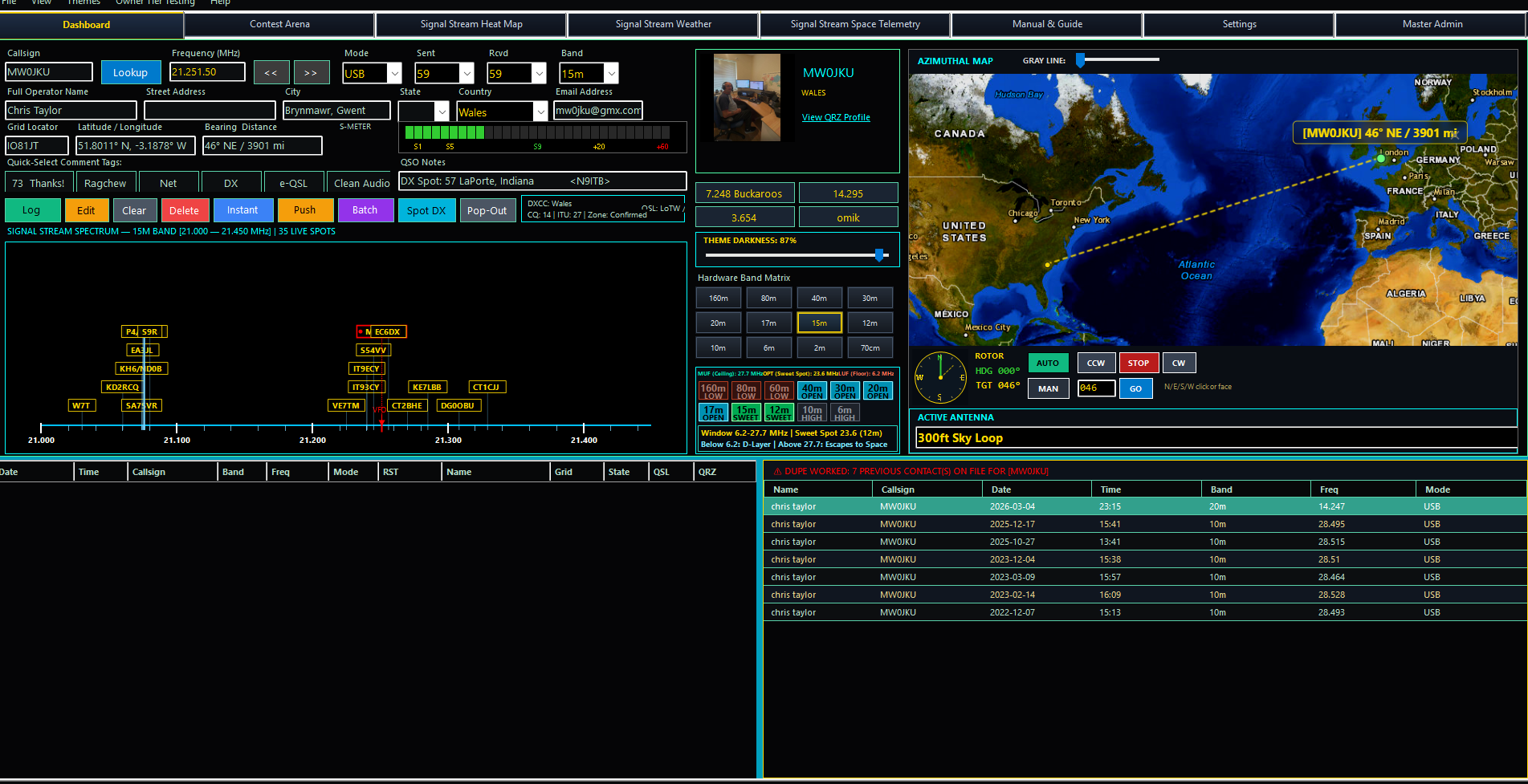
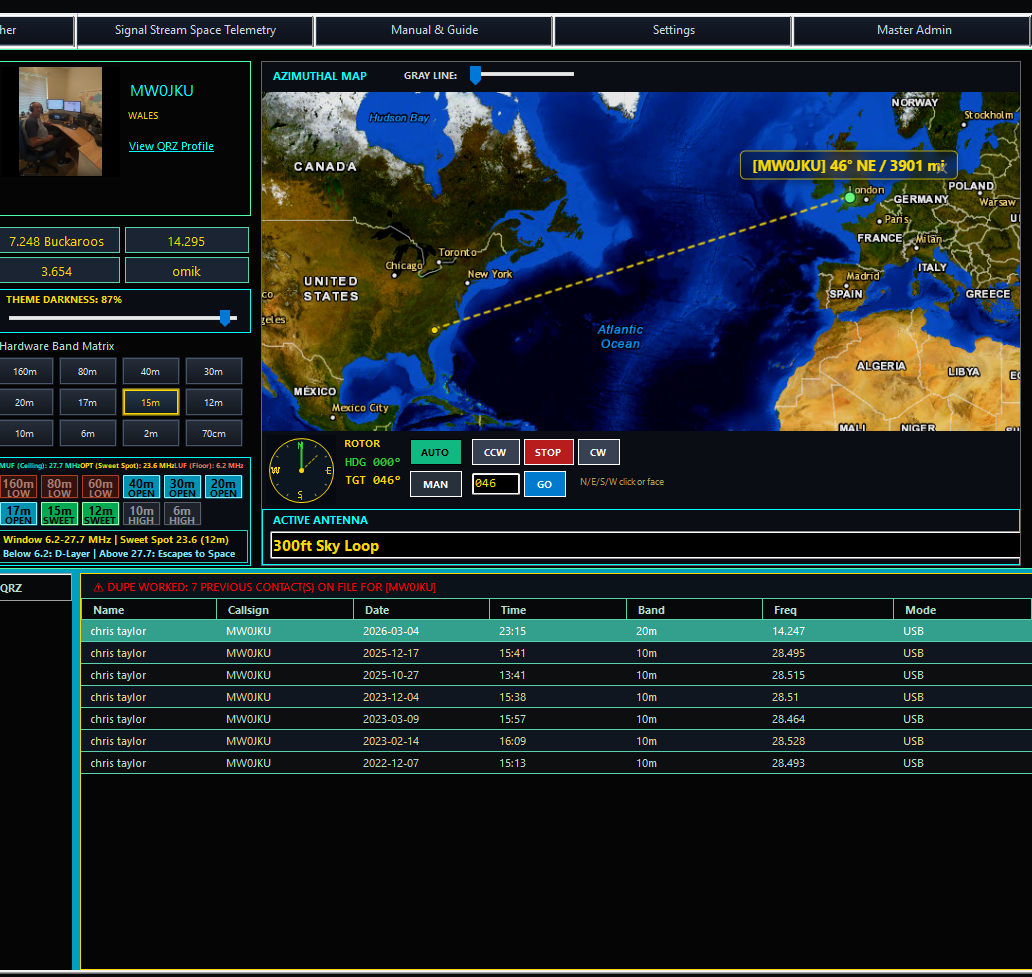
15-meter USB lookup for EA7GX in Algeciras, grid IM76GE. Bearing is 64° northeast at 4,132 miles on the 300 ft sky loop, with four earlier contacts already on file.The same console on MW0JKU in Wales, grid IO81JT. Bearing is 46° northeast at 3,901 miles, with 15 meters selected.Azimuthal path across the Atlantic for that Wales contact. The rotor is headed to 046°, and the ledger lists the earlier QSOs.
Standard Edition
Signal Stream Spectrum
The spectrum turns the band you are on into a living map of the air. Every cluster spot stands on the frequency where it was heard, the call sign readable above the trace, and a red VFO marker shows exactly where the rig is sitting.
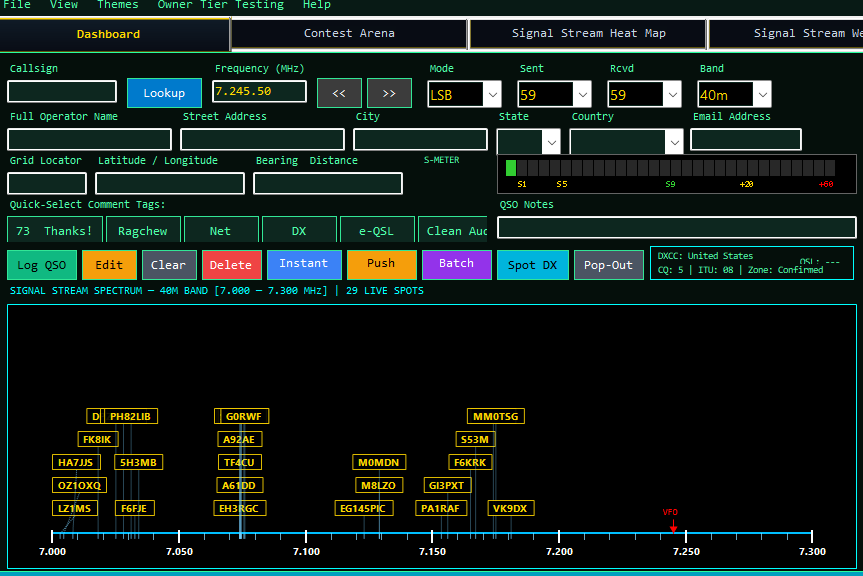
On 40 meters the window runs 7.000 to 7.300 MHz. A quiet stretch is obvious, and a pileup shows up as a stand of call signs. Move the VFO into a gap, or onto a station that is already there, without leaving the log.
40-meter spectrum, 7.000–7.300 MHz. Live spots stand on the frequencies where they were heard, and the VFO is marked in red.
Standard Edition
MUF band window
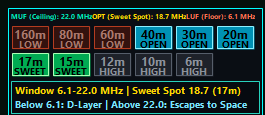
Maximum usable frequency is drawn as a working window. Calling frequency, sweet spot, and floor are read in megahertz, and every amateur band is marked open, sweet, low, or high.
Read it before you change bands. When 17 meters is the sweet spot and 10 meters has gone low, stay where the path still holds. Below the floor the D-layer absorbs the signal. Above the window the wave escapes to space.
Calling 22.0 MHz, sweet spot 18.7 MHz on 17 meters, floor 6.1 MHz. Forty, 30, and 20 meters are open. Below 6.1 MHz is D-layer. Above 22.0 MHz escapes to space.
Standard Edition
Hardware band matrix
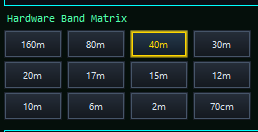
Twelve bands sit in one gold-edged pad, 160 meters through 70 centimeters. The band you are on burns gold, so a glance tells you where the station is parked.
Press a button and the console follows. The spectrum, the log entry, and the VFO move together, which keeps a band change to a single motion while the station you want is still calling.
The 12-button hardware band matrix, with 40 meters selected.
Standard Edition
Spot DX, Instant, and the action row
The action row is the set of moves you make without taking your eyes off the contact. Instant opens the previous-contact ledger for the call sign in the entry, so you know whether this voice is a new station or one already in the book before you answer. Spot DX keeps that station tied to its DX context: DXCC entity, CQ zone, and ITU zone, confirmed beside the buttons.
The same row carries the rest of the desk. Log QSO writes the contact. Clear and Delete reset or remove an entry. Push and Batch move work through the log in quantity. Pop-Out lifts a panel free of the console. Comment tags — 73, Ragchew, Net, DX, and e-QSL — stamp the QSO in one press.
Instant, Spot DX, Push, Batch, and Pop-Out on the logging desk, with DXCC, CQ zone, and ITU zone confirmed for the station in the entry.
Standard Edition
Azimuthal map and rotor
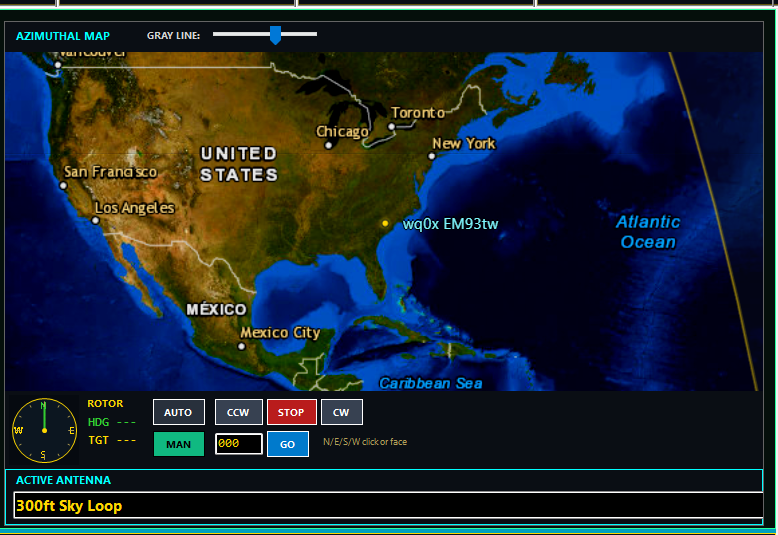
The azimuthal map places your station on the world and draws the path toward the contact. Rotor heading and target sit under the map, with auto, manual, clockwise, counterclockwise, and stop.
Look up a call, read the bearing, and send the array there. Type a heading and press Go, or let auto follow the contact. The active antenna stays named on the desk, so you always know which wire is in the circuit.
Azimuthal map for WQ0X in grid EM93tw, with rotor auto, a manual heading, and the 300 ft sky loop as the active antenna.
Enterprise Suite
Contest Arena and ESM
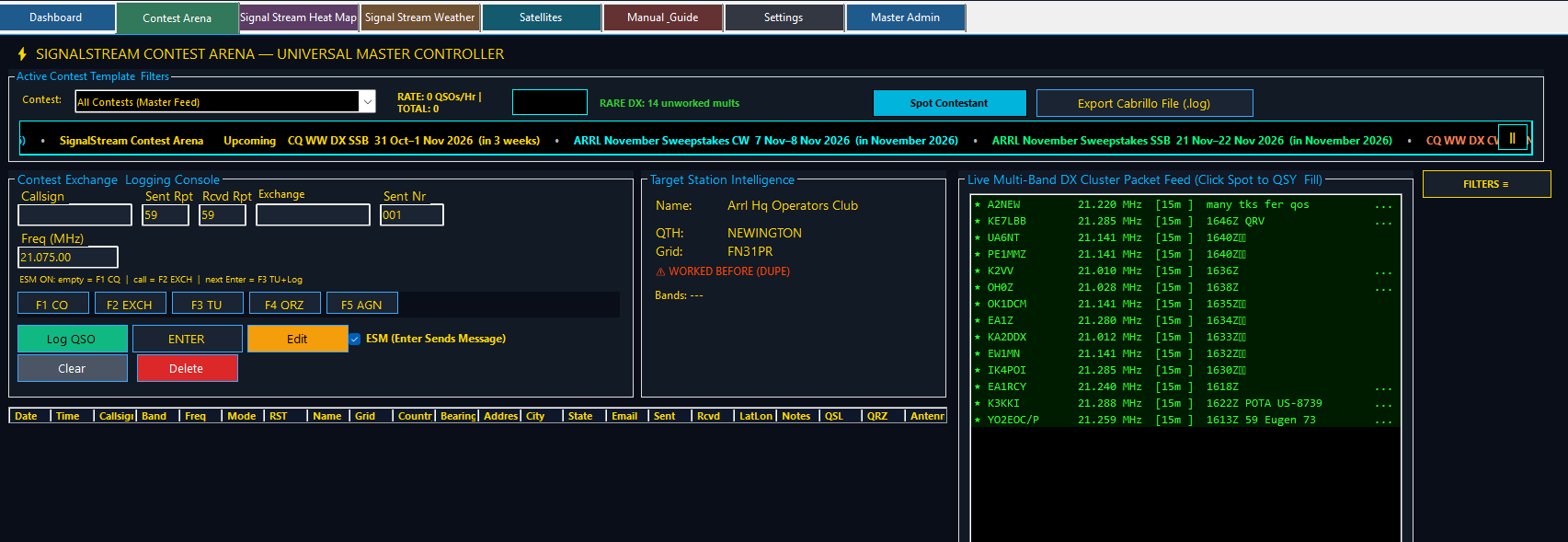
The Universal Master Controller follows the contest you load, including CQ WW, ARRL DX, NAQP, Sweepstakes, POTA, and SOTA. Rapid-fire contest logging clears the entry with one click and resets the Send and Receive RST fields to 59/599 automatically, so you stay at pileup speed.
Logging stays on the keyboard. The QSO rate stays in view, and ESM sends the next macro from the contact state. When the event closes, the log exports as Cabrillo 3.0.
Enterprise Suite
Precision great-circle heat map
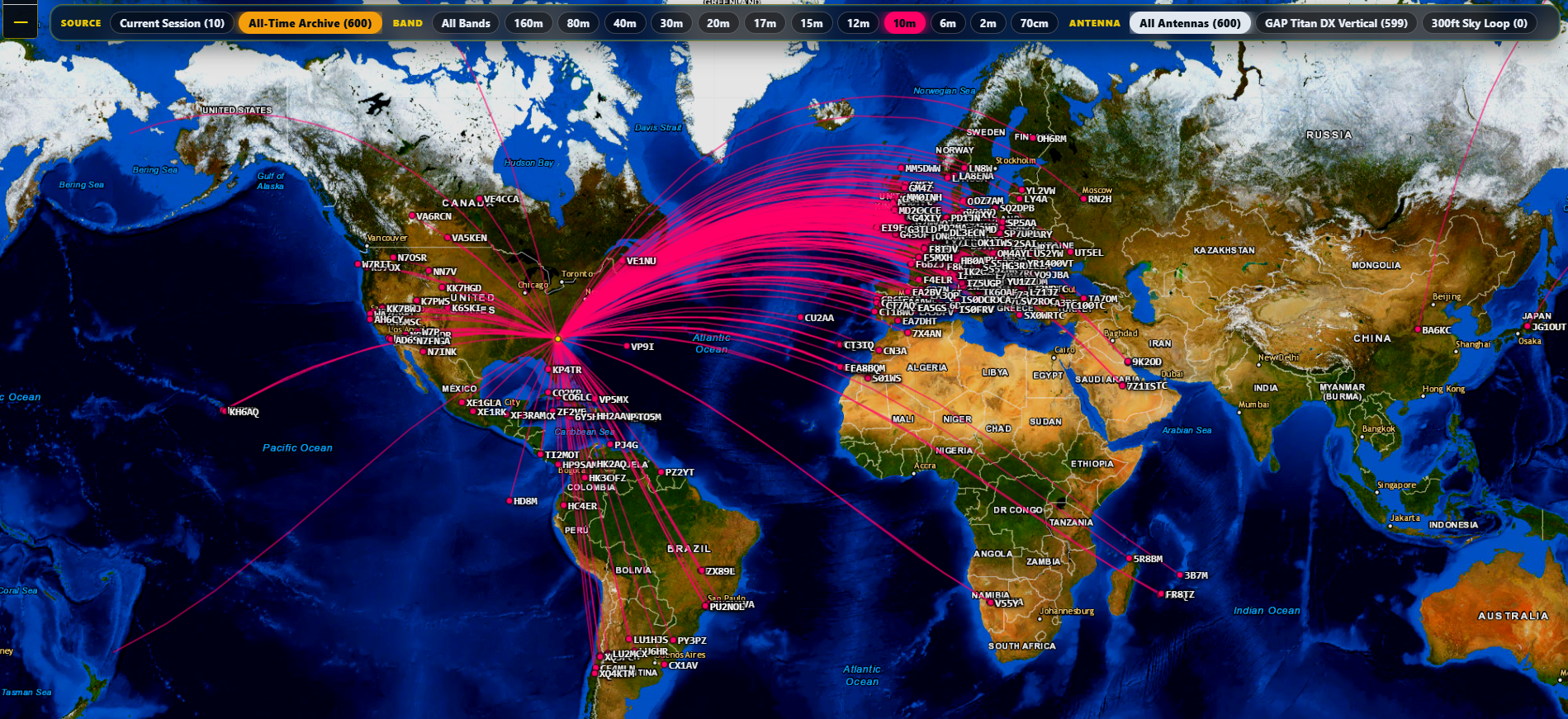
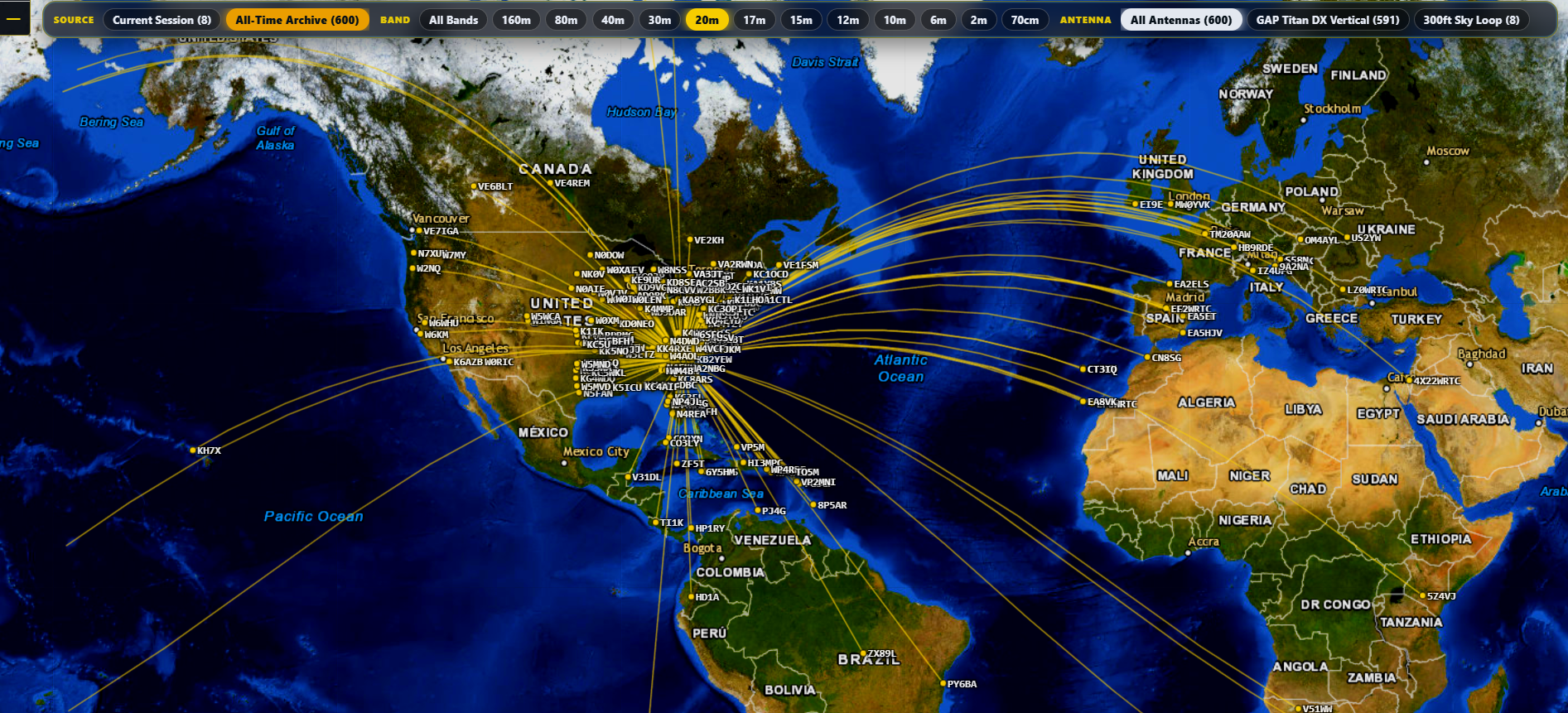
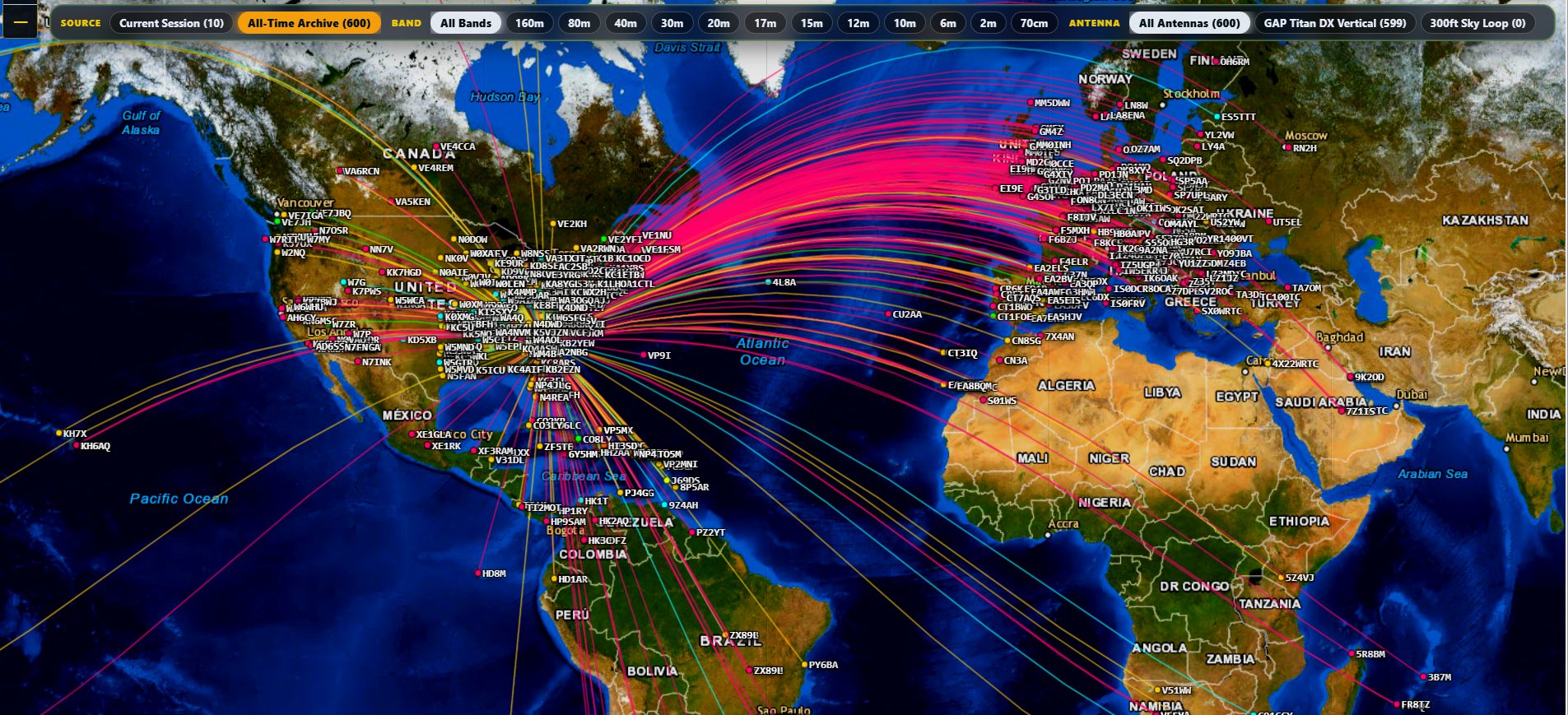
Refined high-contrast vector rendering draws every logged contact as a great-circle path from the home station. Ultra-crisp 1.0f–1.5f propagation paths, compact precision endpoint markers, and clean, unobstructed call sign typography keep real-time DX visualization readable. Filter the footprint by band, antenna, and the current session or the all-time archive.
15-meter filter on the all-time archive. Magenta arcs leave the home station for Europe, Africa, the Caribbean, and South America.20-meter filter of the same archive. Gold arcs cross North America and the Atlantic into Europe, and continue through the Caribbean into South America.All-bands view. Each arc keeps its band color, so the Atlantic paths into Europe stay distinct from the routes into South America and Africa.
Command Center
Space Telemetry
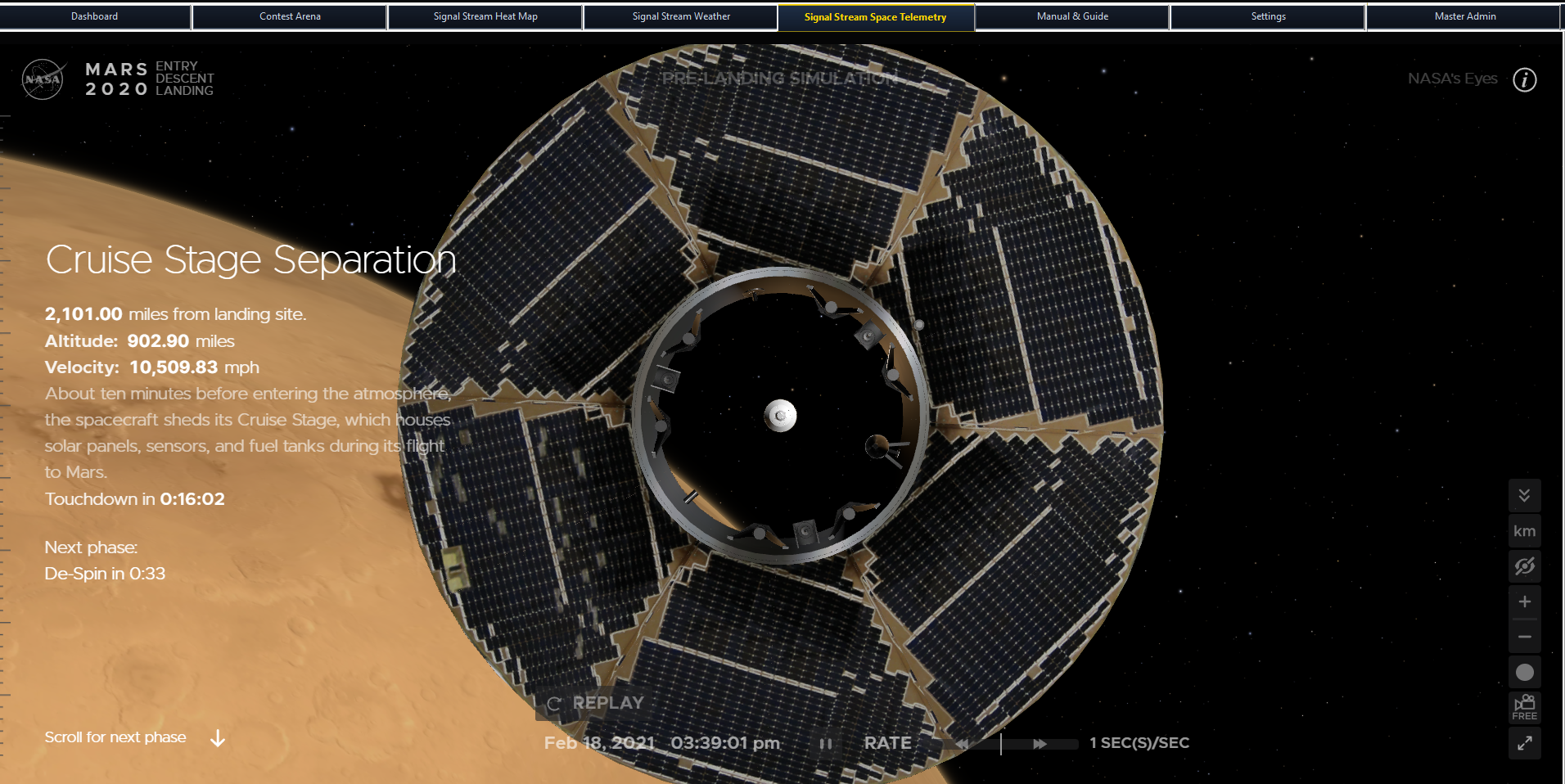
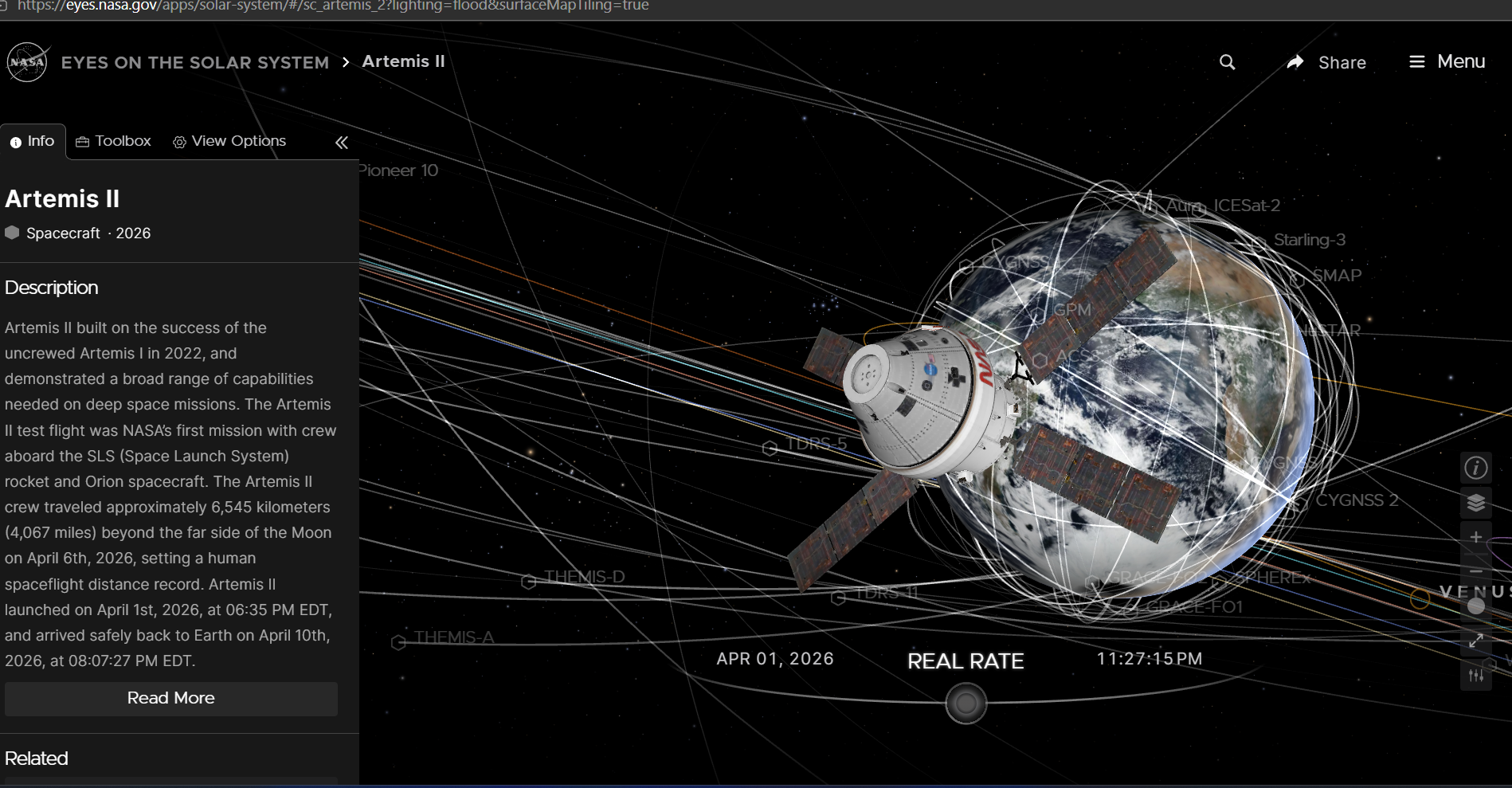
Signal Stream Space Telemetry opens NASA's Eyes inside the station console, on the same tab row as the log, heat map, and weather desk.
Mars 2020 cruise-stage separation inside the Space Telemetry tab. The readout shows 2,101 miles from the landing site, altitude 902.90 miles, velocity 10,509.83 mph, and the touchdown countdown.NASA's Eyes on Artemis II, with Orion above Earth and the tracks of nearby spacecraft. Space Telemetry opens this Eyes view from the station console.
Enterprise Suite
Weather console
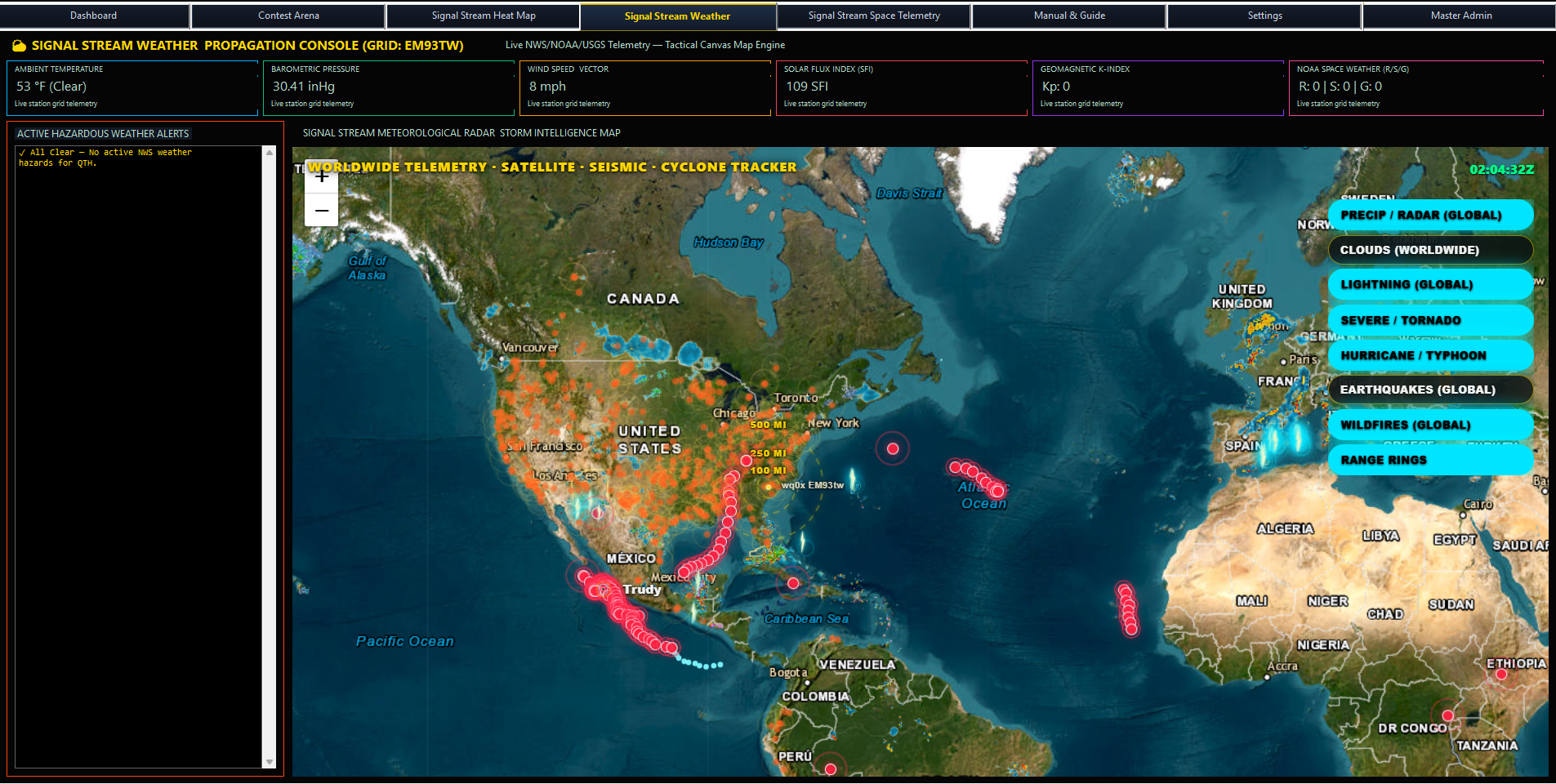
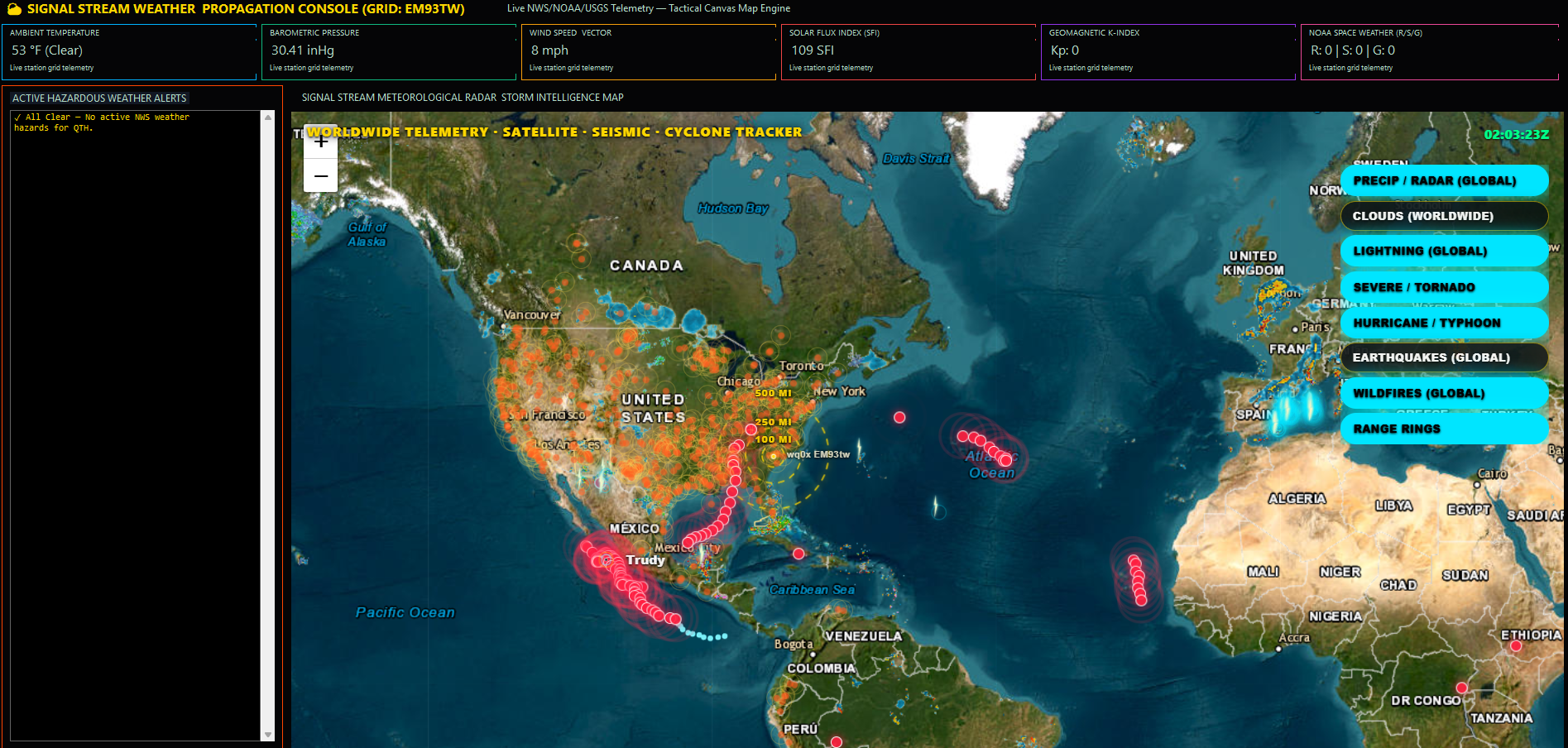
Signal Stream Weather keeps session conditions and the radar picture on the station desk. The propagation console reads the home grid, then layers precipitation, lightning, cyclone tracks, and radar.
Grid EM93TW reads 53°F and clear, 30.41 inHg, an 8 mph wind, solar flux 109, Kp 0, and NOAA space weather at R0, S0, G0.Worldwide hazard layers for the same session: precipitation, lightning, seismic rings, and the Atlantic cyclone tracker.
Enterprise Suite
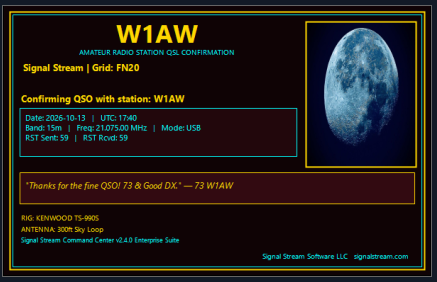
QSL Card Studio and live designer
Build a 300 DPI electronic QSL from the contact you just logged. The live designer uses an expanded preview canvas, enlarged operator profile rendering, and crisp gold and amber/cyan branding typography. Choose from more than 40 tactical and vintage themes, or use a photograph of the shack.
Automated SMTP email dispatch uses your own mailbox on TLS port 587 and sends the confirmation when the contact is logged.
Lifetime licenses
Standard Edition is $39.99 and Enterprise Suite is $59.99. Every purchase is backed by a risk-free 7-Day Money-Back Guarantee. You receive immediate full access on purchase. If you are not completely satisfied within 7 days, request a full refund and the license seat is deactivated. Checkout is handled by Gumroad.